

IPTV Smarters is a powerful and user-friendly IPTV application originally developed to work with Xtream Codes. In recent updates, it has expanded support to include M3U links and local playlist files, making it a flexible solution for all IPTV users.
The app features a clean, modern, and easy-to-use interface, ensuring a smooth viewing experience for beginners and advanced users alike. IPTV Smarters is optimized for performance and stability, delivering high-quality streaming with minimal buffering.
It is compatible with a wide range of devices, including:
- Android smartphones & tablets
- iOS (iPhone & iPad)
- Smart TVs (Android TV, LG WebOS, Samsung Tizen)
Due to its reliability and rich features, IPTV Smarters is one of the most recommended IPTV players by Install-IPTV.
Install IPTV on IPTV Smarters:
Time needed: 6 minutes.
Bring tv channels into IPTV SMARTERS PRO
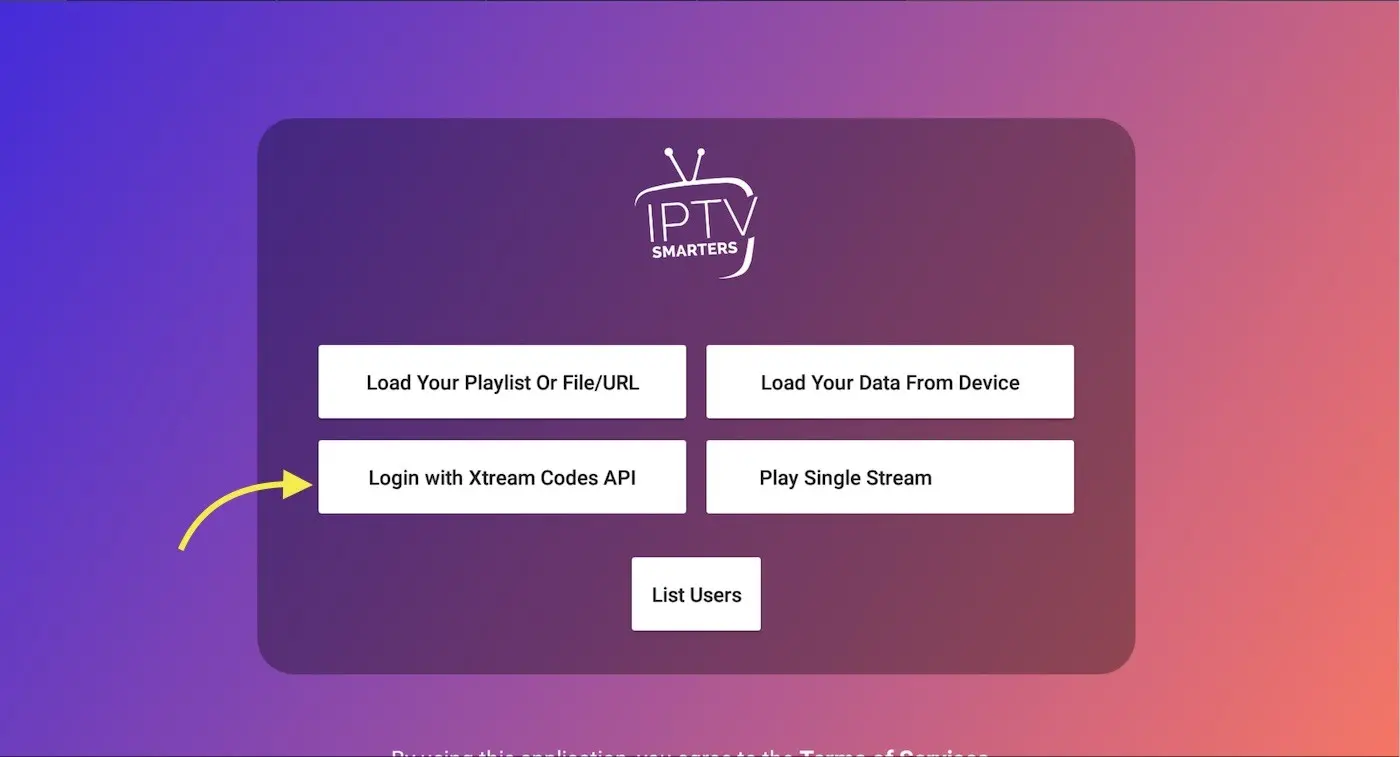
- Choose your list type
Open the application and you need choose which method you want add list , We recommend use Xtream Codes API which supported from more than 95% of IPTV providers .

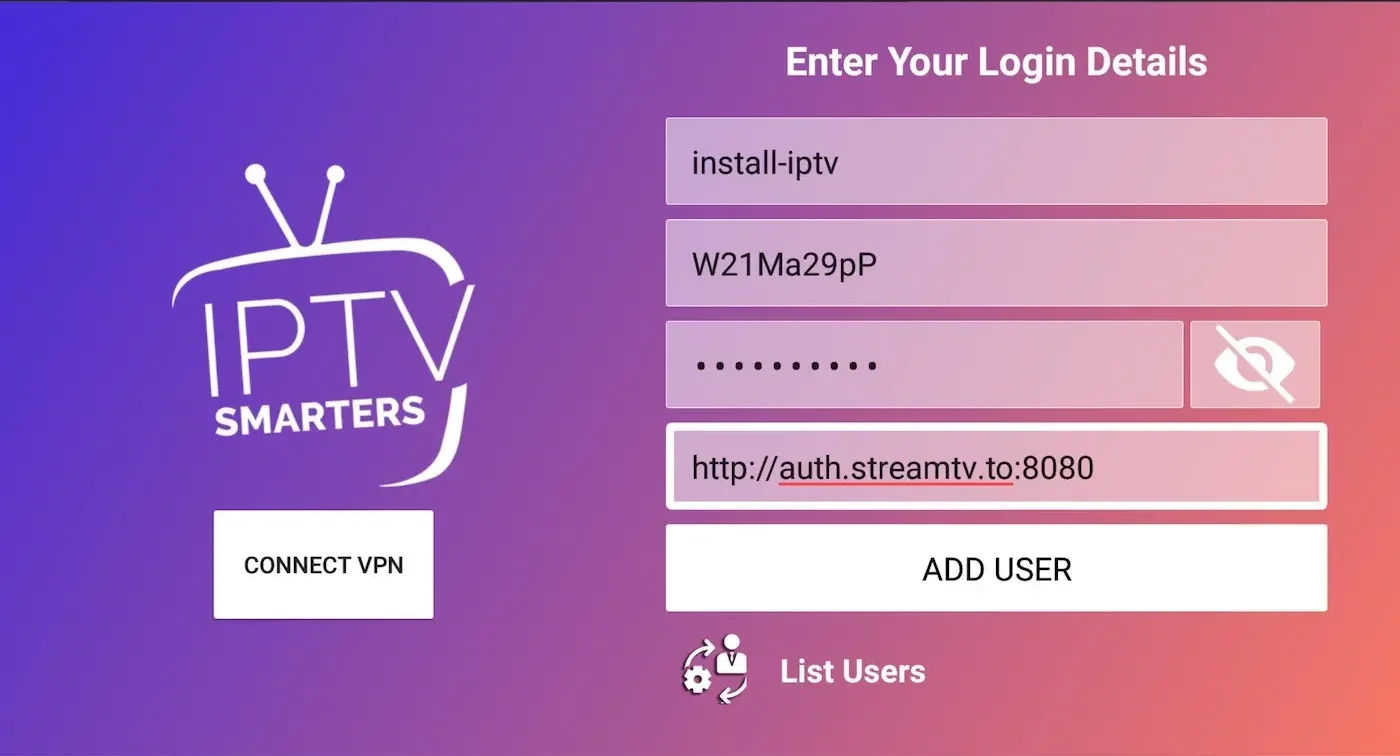
- Enter Xtream connection details
Choose a name for your list (it can be any name ) in first field and Xtream codes USERNAME , PASSWORD and SERVER URL which provided by your IPTV service provider then press ADD USER
Note: You can extract Xtream codes API details from M3u link ( read FAQs )
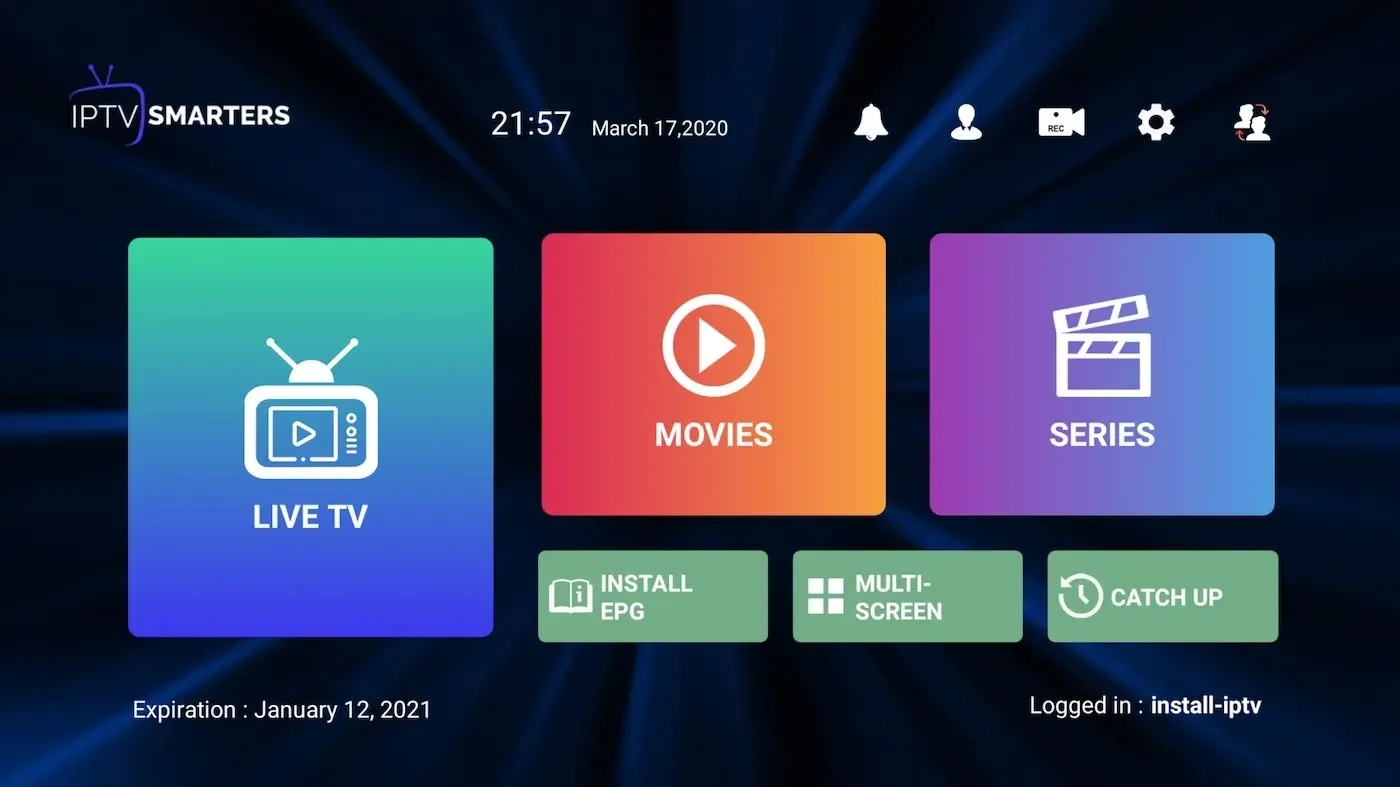
- You are logged in
Now you logged in and Live TV , VOD and series available to watch .
Done.
FAQs:
Xtream Codes API informations include server URL , username and password. You can extract Xtream Codes information from M3u link . look at this example:

How to install IPTV smarters on Fire TV / Fire stick?
- You can download the APK of IPTV smarters pro via direct link by Downloader app in Fire TV, follow these steps:
Install Downloader on your Amazon fire TV. - Select the nav tabs from the home screen by pressing up and scroll right to reach Settings. From this menu, select Device. Next, pick Developer Options and you should see a sub-menu that includes the entry ‘Apps from Unknown Sources’. Select it, making sure it reads ON underneath.
- go back to Downloader app. On the app’s initial page, you’ll see a white box into which you can type a URL. Select it