
GSE Smart IPTV is a powerful and advanced IPTV player application available for iOS, Android, Apple TV (tvOS), and macOS. It is a complete, user-defined IPTV solution that comes with a strong built-in media player supporting most streaming formats, including M3U playlists and Xtream Codes platforms.
GSE Smart IPTV is widely used by IPTV subscribers thanks to its flexibility, cross-platform compatibility, and advanced playlist management options. The app does not provide IPTV channels by default; users must add their own IPTV playlists provided by their IPTV service.
How to Add IPTV Channels to GSE Smart IPTV
In this tutorial, we will show you how to setup IPTV channels on the GSE Smart IPTV app.
The setup process is the same for both Android and iOS (iPhone / iPad) devices.
Before starting, make sure you have:
- An active IPTV subscription
- Your M3U playlist URL or Xtream Codes login details
Download GSE Smart IPTV App
The GSE Smart IPTV app is available on multiple platforms, including smartphones, tablets, TV devices, and desktop systems.
Supported Platforms
- iPhone & iPad (iOS)
- Android smartphones & tablets
- Apple TV (tvOS)
- macOS (Mac OS X)
- Amazon Fire TV Stick
Official Download Links
Android devices (Google Play Store):
https://play.google.com/store/apps/details?id=com.gsetech.smartiptv
iOS devices (App Store – iPhone & iPad):
https://apps.apple.com/app/gse-smart-iptv/id1028734023
macOS (Mac OS X):
https://apps.apple.com/se/app/gse-smart-iptv-pro/id1293083751
Amazon Fire TV Stick:
https://gsesmartiptv.com/dlgseiptv.php
Bring IPTV channels to GSE smart IPTV
Install IPTV on GSE smart IPTV
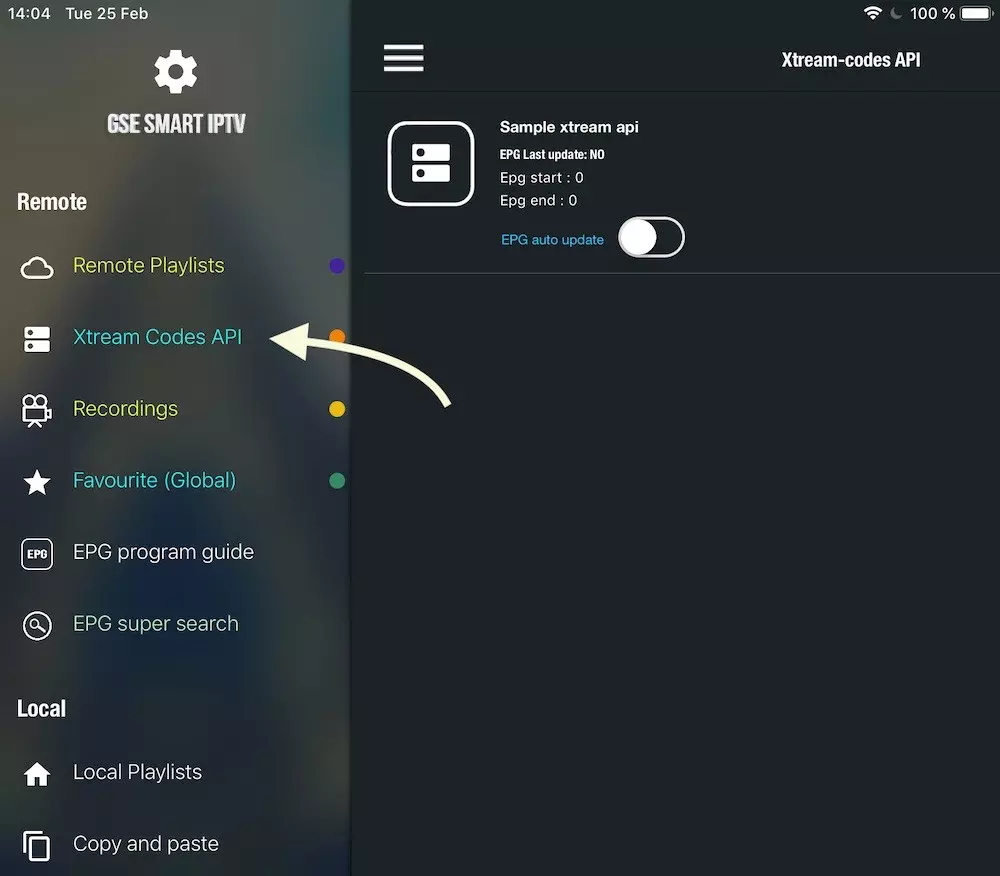
- Navigate to XTREAM CODES API
navigate to XTREAM CODES PAI section from app menu

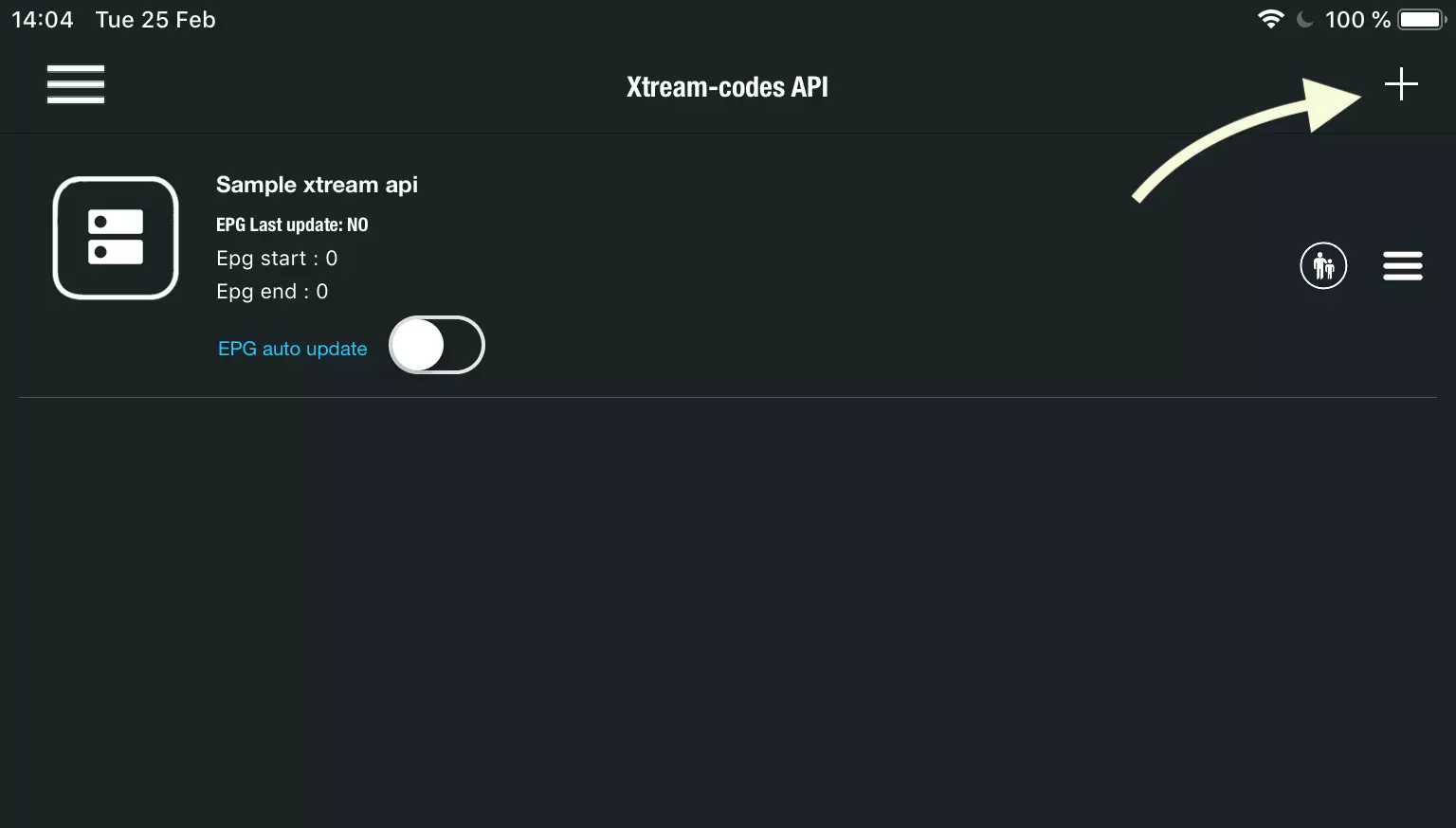
- Press + icon
Press + icon to add new XTREAM CODES list

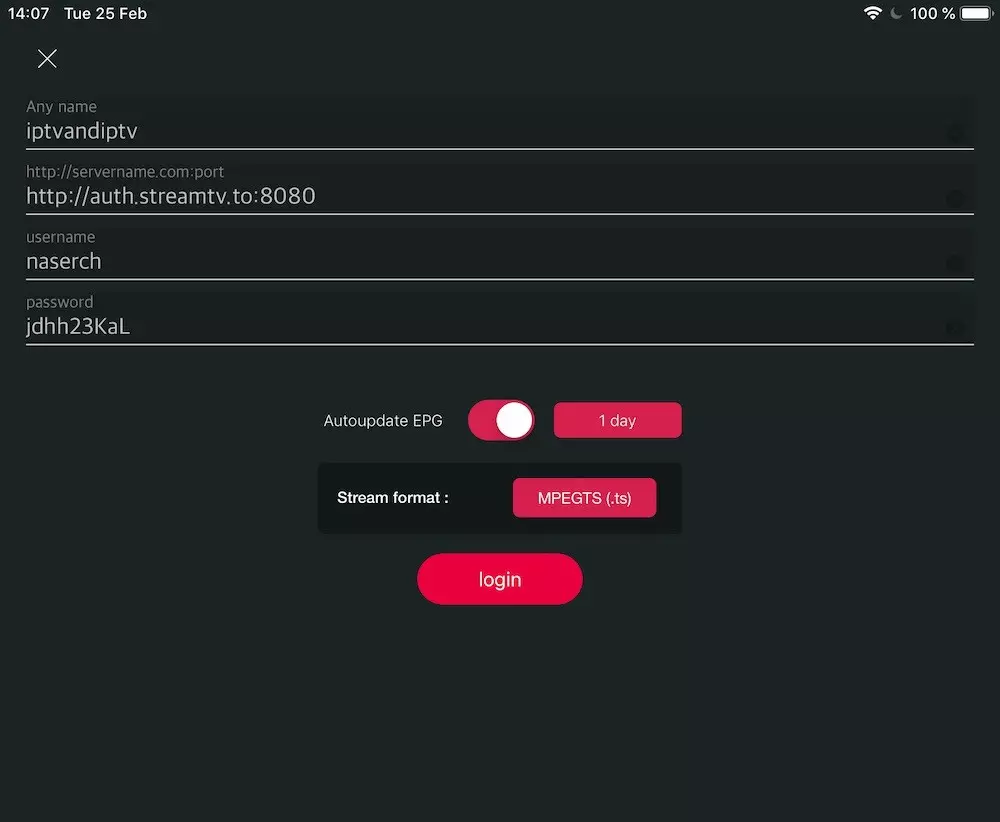
- Enter Xtream based details
Enter Xtream based connection details: Server, username and password which provided by your IPTV provider. (the details in picture are example, and you need enter your own)
You need set a name in Any Name field, It can be any name as you like.
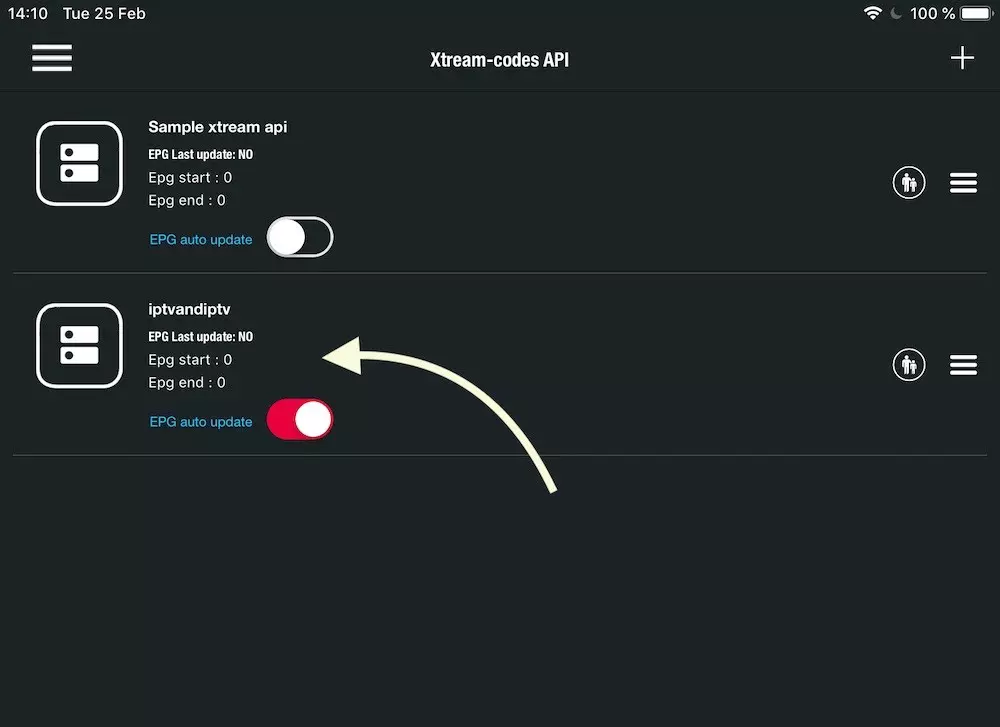
Turn ON Autoupdate EPG
Then press login
- Enter created list and watch movies and Live TV channels

FAQ
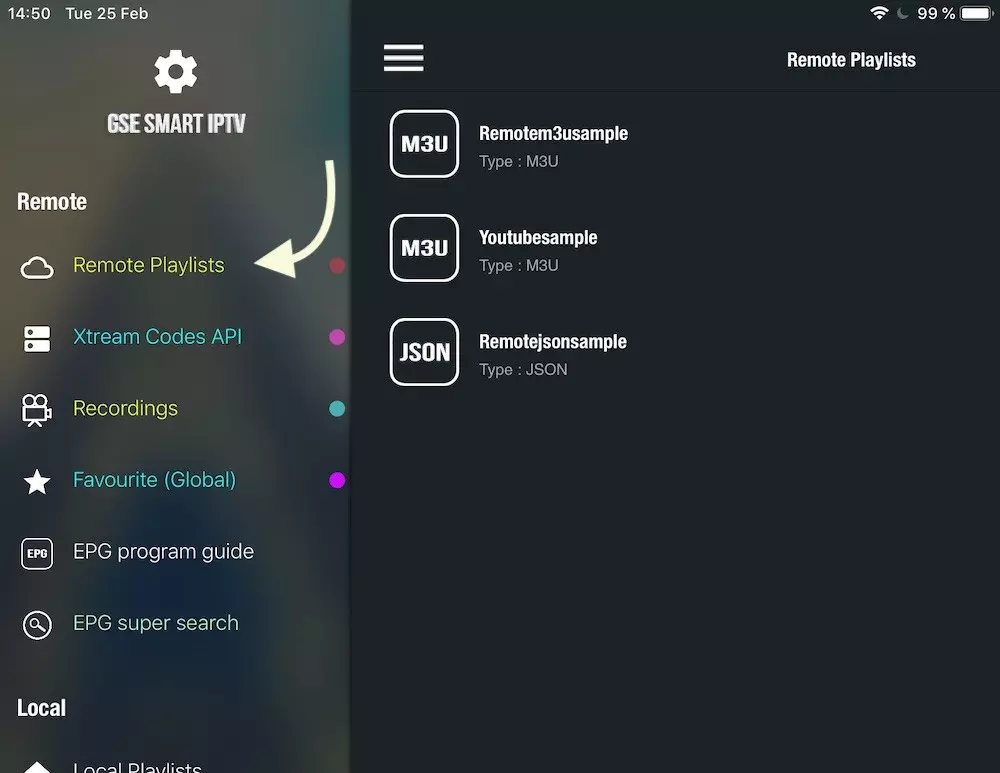
How can I set m3u link instead of Xtream Codes connection?
You can use Remote Playlists section, press + button and choose Add M3U URL, then paste M3u link.
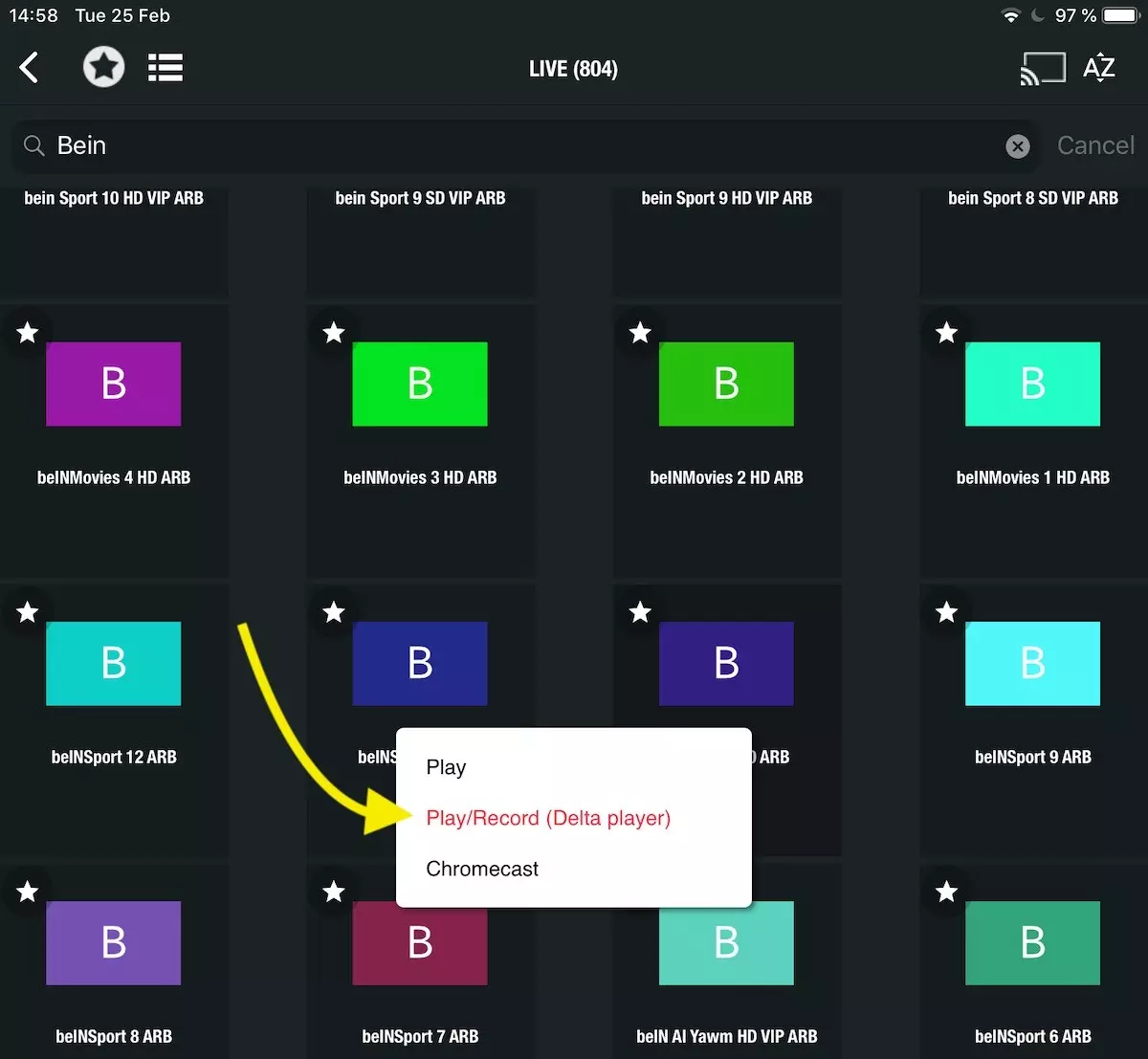
How record a channel?
When choose a channel in list choose Play/Record in pop up.
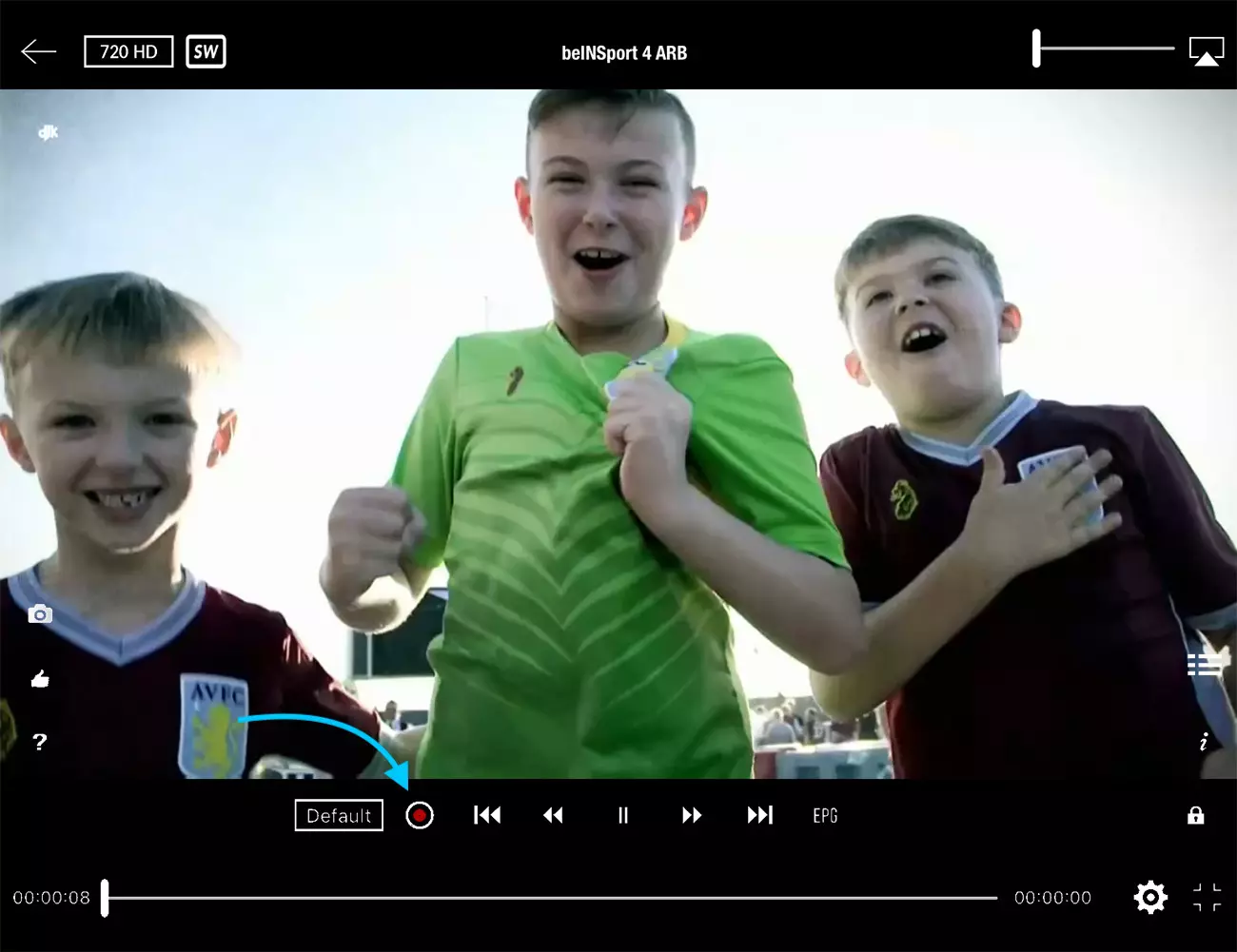
Then you can press RED button in player to record the channel.
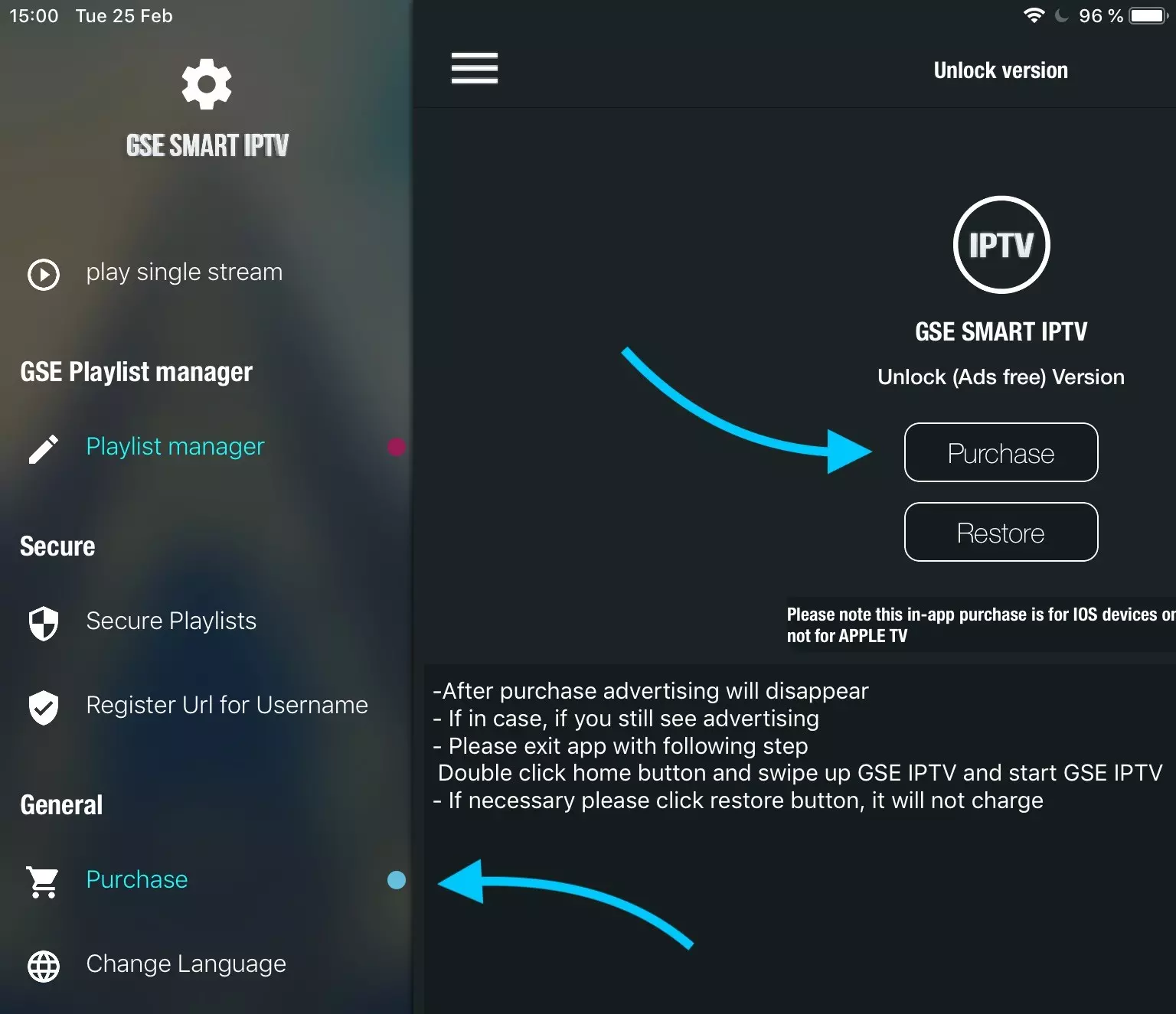
How remove advertise from GSE smart IPTV?
GSE smart IPTV free version show advertises while change channels, you need purchase it to remove ads.
To purchase app, navigate to Purchase from app menu and follow purchase process.