
MyIPTV Player is a powerful and lightweight IPTV media player for Windows devices, designed to stream live TV channels using M3U playlists. The app includes built-in EPG (Electronic Program Guide) support, making it easy to browse TV schedules and enjoy a smooth IPTV viewing experience.
This IPTV player is fully compatible with Windows 10, Windows Phone, and Xbox One, allowing users to watch IPTV content across multiple Microsoft platforms. With simple playlist loading from local storage or a remote URL, myIPTV Player is ideal for users looking for a fast and reliable Windows IPTV solution.
⚠️ Note: MyIPTV Player does not provide TV channels. An active IPTV subscription or M3U playlist is required.
Key Features of MyIPTV Player
- IPTV player for Windows 10, Windows Phone, and Xbox One
- Supports M3U playlists (local & remote URL)
- Built-in EPG (TV Guide) support
- Clean and easy-to-use interface
- Fast channel loading and smooth playback
- Ideal for live TV streaming on Windows devices
Download MyIPTV Player
You can download MyIPTV Player directly from the Microsoft Store using the official link below:
https://www.microsoft.com/en-us/p/myiptv-player/9pjj2nmbf0tr
Bring IPTV channels to MyIPTV player
install IPTV on Windows, Xbox and windows phone
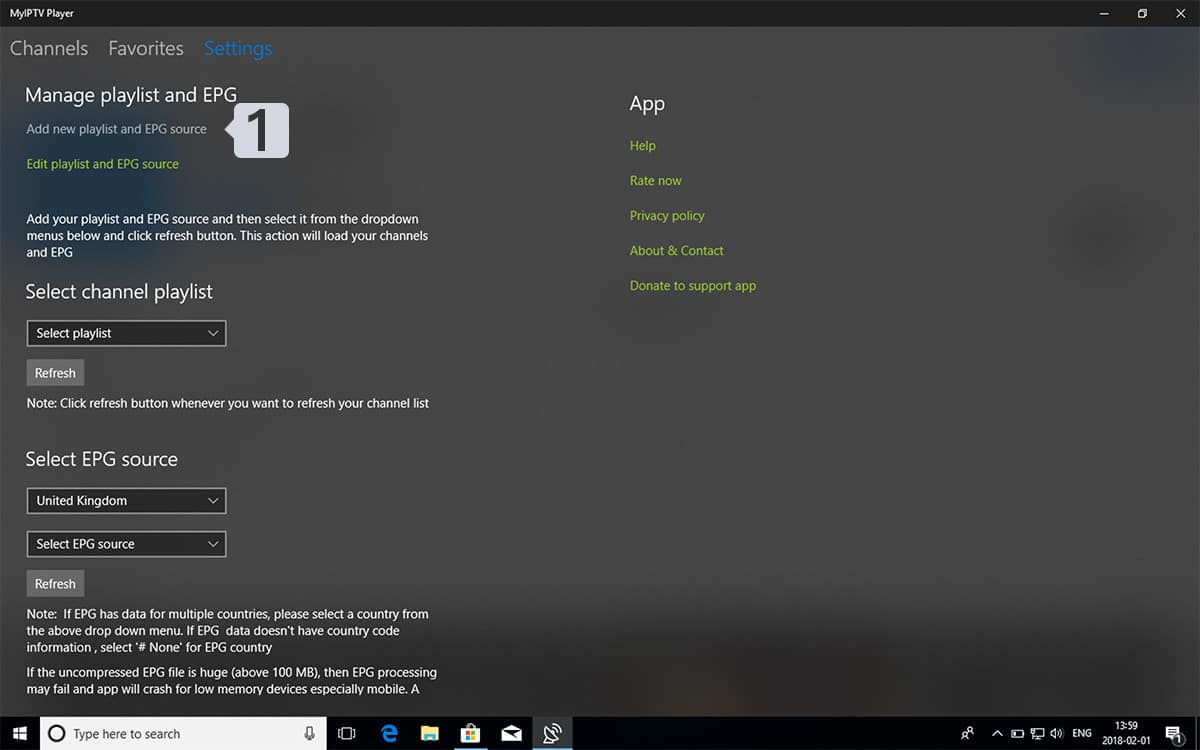
- Navigate Settings
Go to Settings tab and open Add new playlist and EPG source
- Enter M3u Link
Type a name (ex:overbox) in Remote channel list name field.
Enter (paste) M3u link provided by IPTV provider in Enter remote source URL
Press Add remote list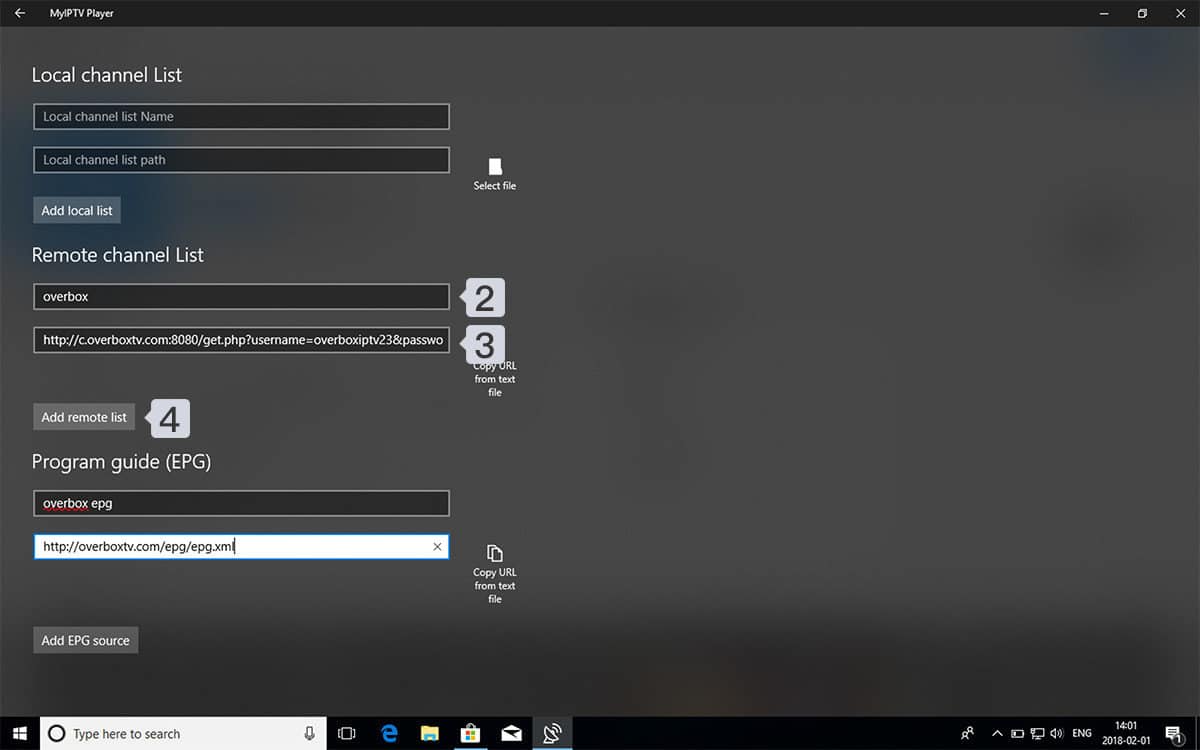
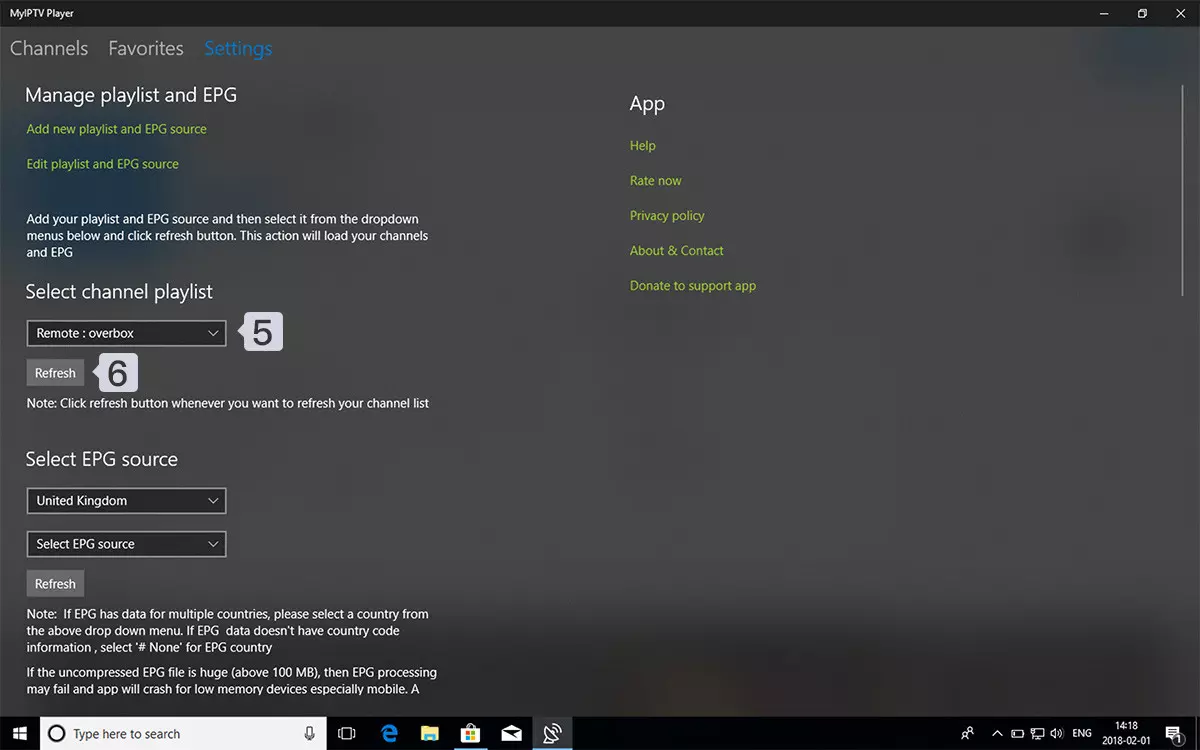
- Select list to load
Back to Settings and select overbox in Select Channel playlist
- Watch Channels and VOD
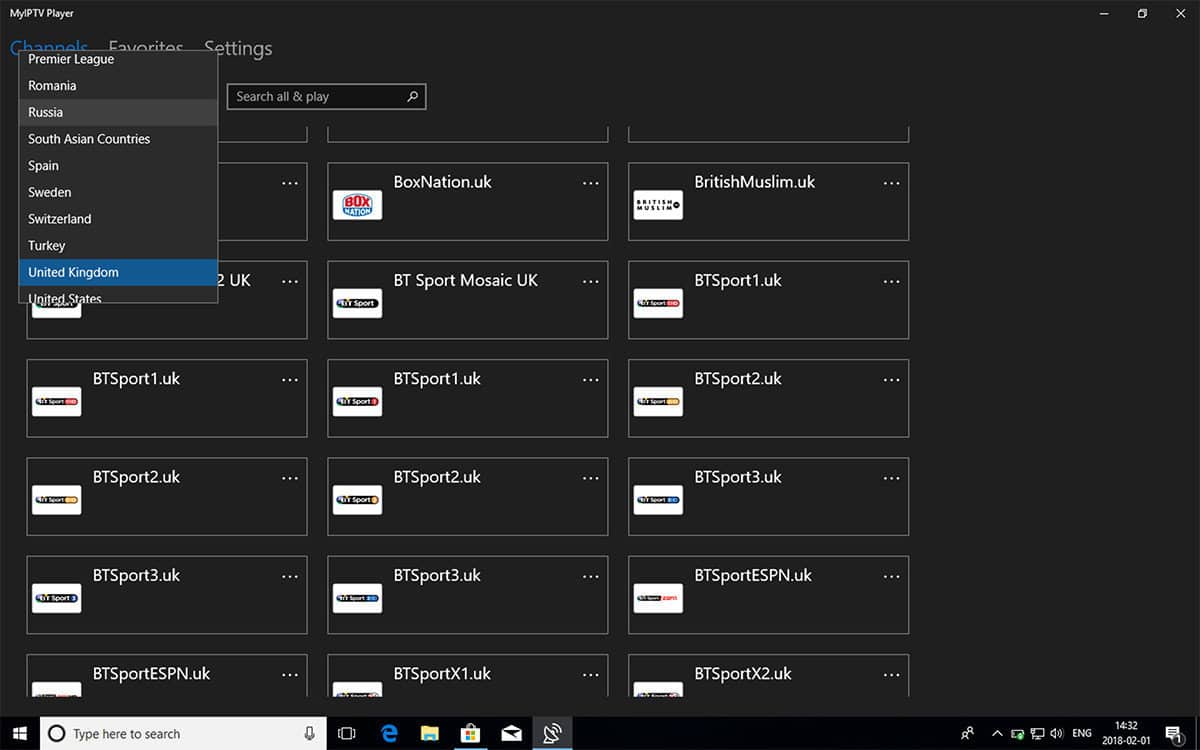
Done, Back to Channels tab now and select your country you want to watch TV channels.
FAQ
How can I add EPG to MyIPTV player?
You can add EPG URL in step 2, under Program guide (EPG) section.
Where find my EPG link?
You can extract EPG URL from M3u link. Look at this example: